Software, built in Queensland

FTG Systems

The keys to your automated business.

It takes the brunt work out of the part of your business you aren't getting paid for. Hours, invoicing, pay, receipts and site compliance, handled before you get to the ute. It counts the tax as the money comes in, so what you see is what you actually earned.

See what it costs

It does the admin. You approve it.

Most software is somewhere to record what you already did. This reads what comes in, drafts what should go out, and puts the handful of things that need a decision in front of you. Nothing leaves the business until you say so.

7:00Reads the inbox and turns hours, dockets and orders into records
7:15Drafts the invoices and pay runs from those same hours
7:30Checks every ticket and induction against its expiry
7:45Chases unanswered quotes and invoices past their terms
8:00Sends the replies you approved, and nothing else
8:15Reads the tenders and quote requests worth your time out of the ones that aren't
8:30Writes and posts for the business, in your words, if you want that switched on
8:45Reports what it did and what needs you
9:00Hands you the morning brief, last, so it reads a settled picture

Every morning, on your clock, whether anyone signs in or not. The times are a starting point and they get set to suit your business at setup.

One system, one set of records

The hours a worker is paid for and the hours a client is billed for are the same rows, because they are the same hours. No second entry to get wrong, and no reconciliation at month end to find out which one was.

Jobs & sites

Work tracked from quote to invoice, each site with its own rule for how hours are recorded and rounded.

Pay

Timesheets, payslips, super and leave. Rounding to the nearest interval, not down.

Invoicing

Compliant tax invoices numbered by the system, drafted on completion, chased until paid.

Compliance

Tickets, licences and inductions tracked against expiry and raised before they lapse.

Employee files

Every worker's paperwork in one folder, from their tickets to their signed agreements.

Your crew

Workers sign in to see their own payslips and documents, and nothing else.

The day

A planner that builds itself from what is actually due: the jobs, the bills, the tickets about to lapse.

An assistant

Tell it what to do in plain English. It creates the job, approves the invoice, answers from your records.

It counts the tax as the money comes in

The reason a good year turns into a bad quarter is that the tax was spent before anyone worked out it was tax. Every invoice you raise gets the GST and an estimate of the income tax put beside it, so the number on screen is what the job actually earned you rather than what landed in the account.

Don't spend this

Per invoice, GST worked out exactly and income tax estimated against your own structure, sole trader or company.

Receipts

Photograph it at the counter, check four figures, bin the paper. It reads the vendor, date, total and GST off the picture.

BAS pack

Your quarter assembled into the boxes the form actually asks for, with the invoices and receipts behind each figure.

Kilometre logbook

Both ATO methods worked out side by side, cents per kilometre and the twelve week logbook, so you claim the better one.

Batch pay file

A pay run becomes one direct entry file for your bank instead of twelve transfers typed by hand.

The books

Invoices, receipts, pay and mileage in one place, so your accountant is reading records rather than rebuilding them.

It prepares, you authorise, the bank pays. Nothing in it can move a dollar out of your account, and that is deliberate. The tax figures are there so you know what not to spend. They do not replace your accountant, and they are not meant to.

And it handles the hiring

Most job ads collect an email with a resume attached and a fortnight of chasing. This takes a proper application, files it by year and trade, and pulls out the part you actually screen on.

A real application

Tickets, experience, roster and availability, filled in on a phone in ten minutes. Resume attached, or a photo of one.

Filed, not listed

Applicants sorted into year, sector and trade, so a few hundred of them is still something you can open and search.

Their paperwork

Take somebody on and their tickets become your compliance records, each one with its expiry, in the one action.

Resumes are held privately. They are never a public link, and they are destroyed with the record when you delete an applicant.

Site inspections and shift handover

A separate system, for mining rather than for trades, built by a Bowen Basin supervisor. A supervisor walks the pit on a shared tablet: the notes, the inspection, the actions raised and the evidence against them, then the handover to the oncoming crew.

Signed by both

Off going and on coming supervisor each sign on the device, and neither signature is inherited from a session.

The record writes itself

A PDF of the shift, the inspection and the actions, emailed the moment it is signed.

Actions carry over

What was not closed out arrives on the next shift's screen rather than in somebody's memory.

What it looks like on the tablet

Straight off the app, no mock-ups. Every screen here is the demo site, which is a working copy pointed at a mine that does not exist.
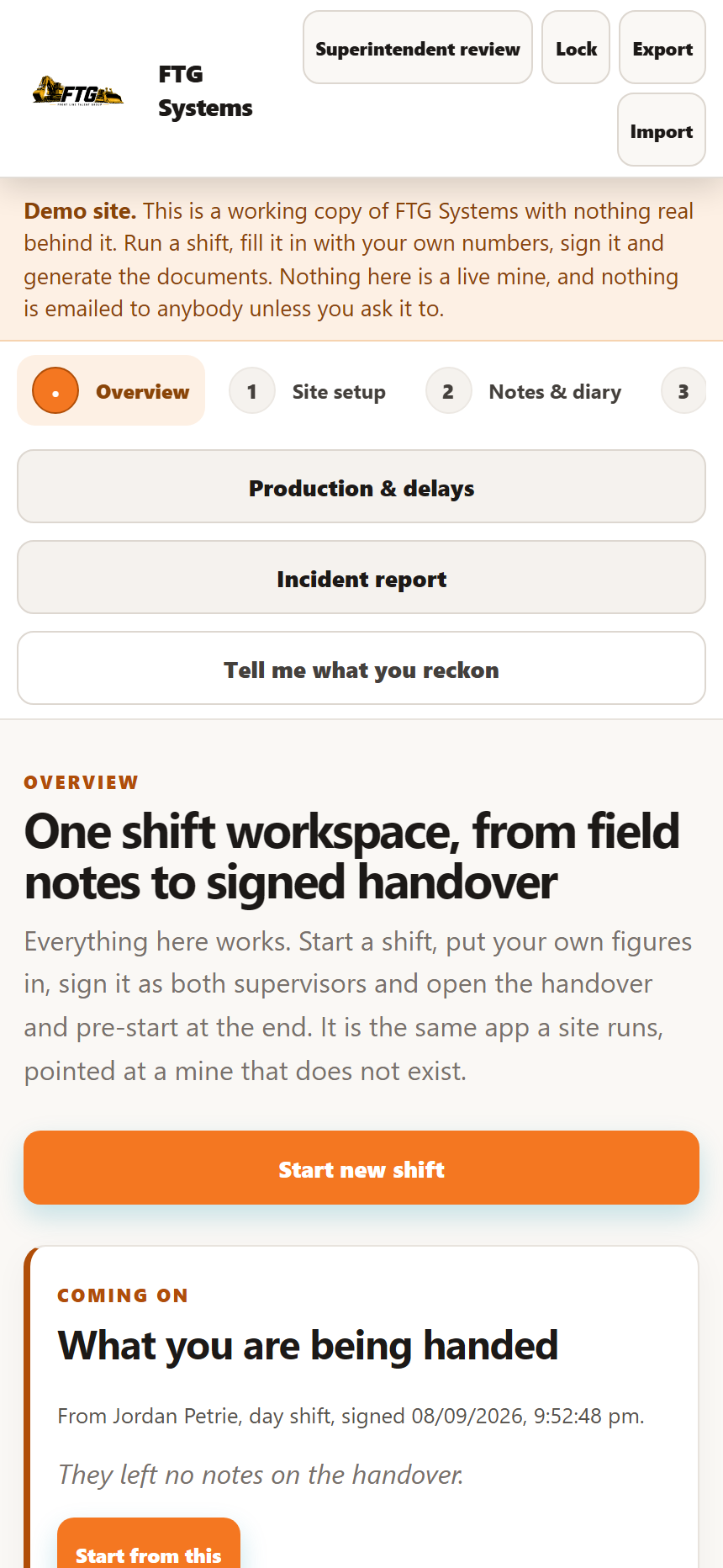
The shift workspace, with the steps across the top
One shift workspace, from field notes to signed handover
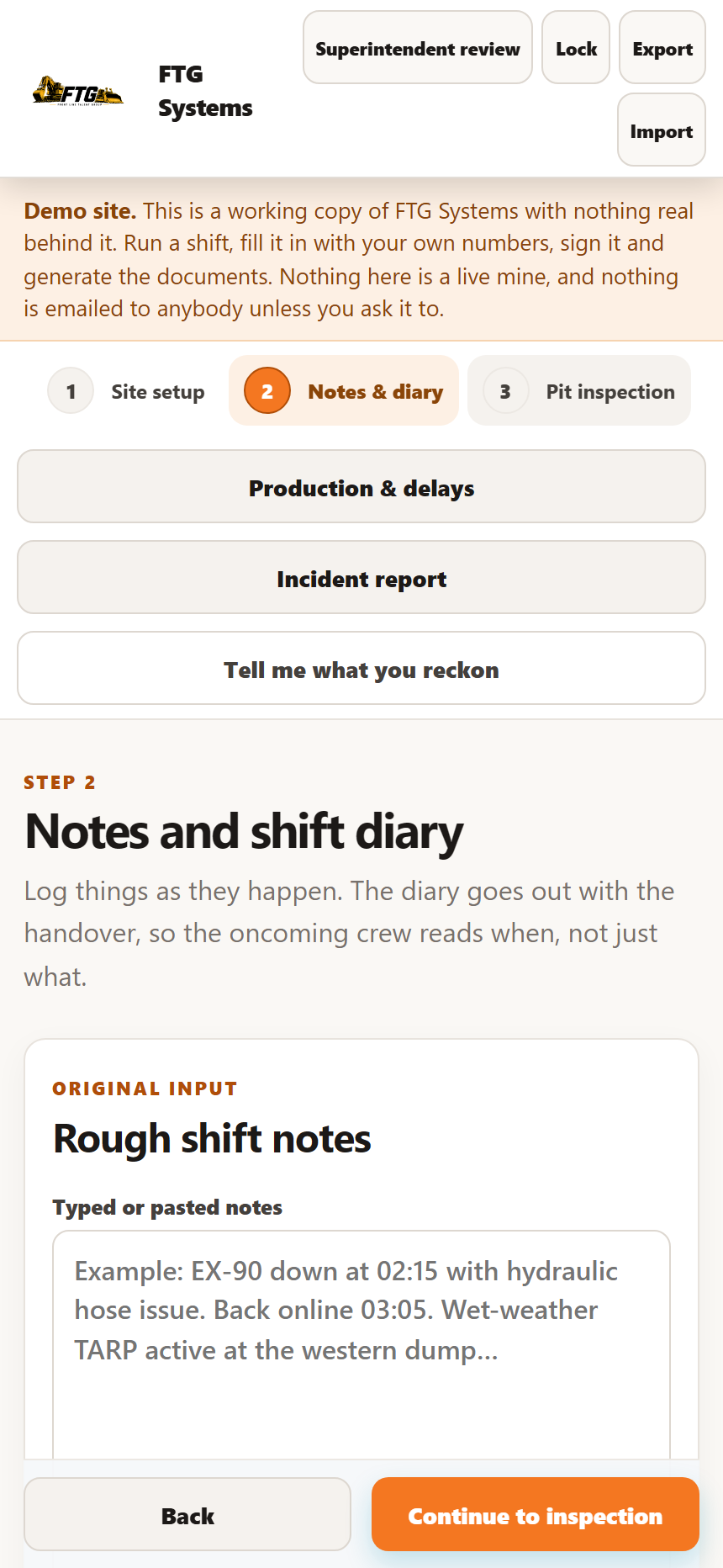
The notes and diary screen
Notes as the shift happens, not written up at the end
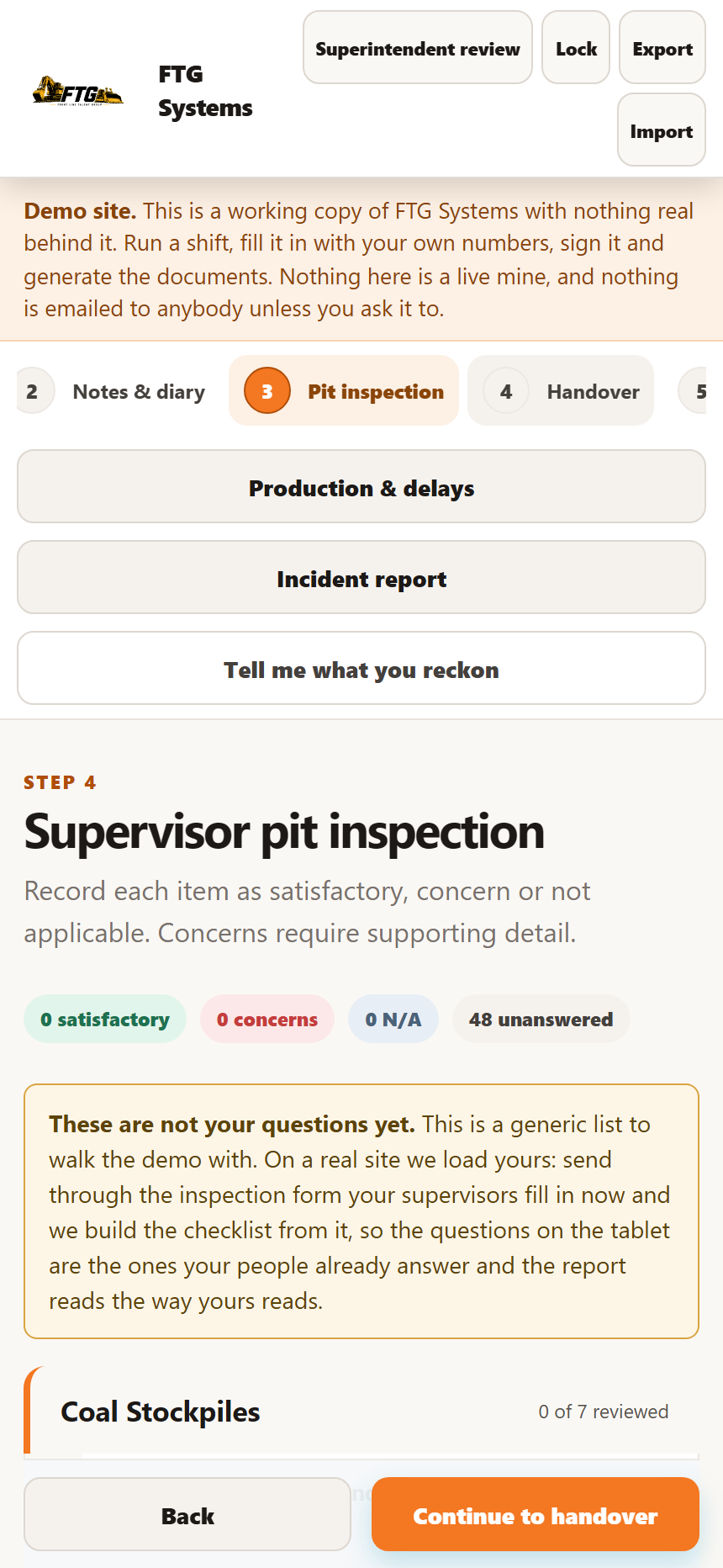
The pit inspection screen
The inspection, with actions raised against what was found
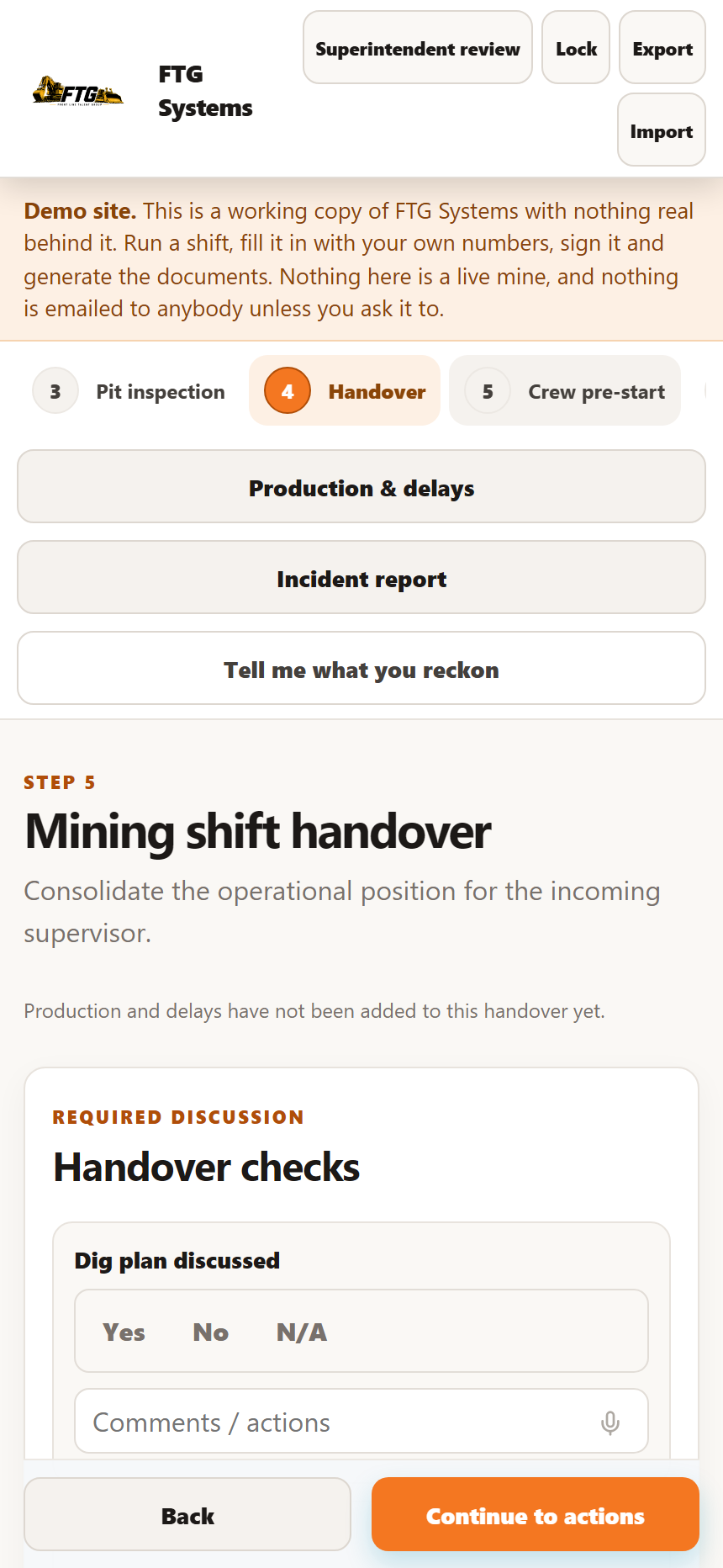
The handover screen, with the required discussion checks
The handover, and the checks that have to be discussed
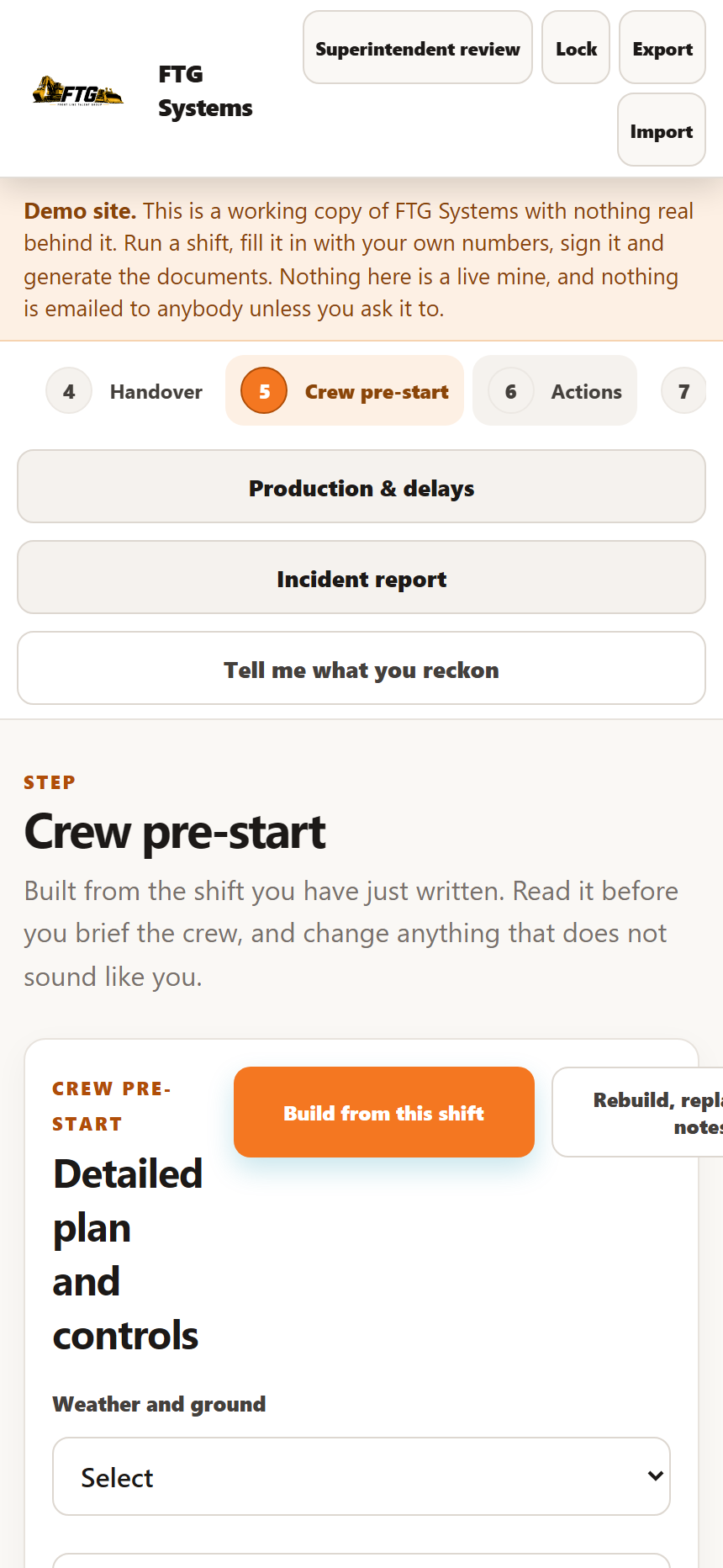
The crew pre-start screen
The oncoming crew's pre-start, built from the shift before it

What comes out of it

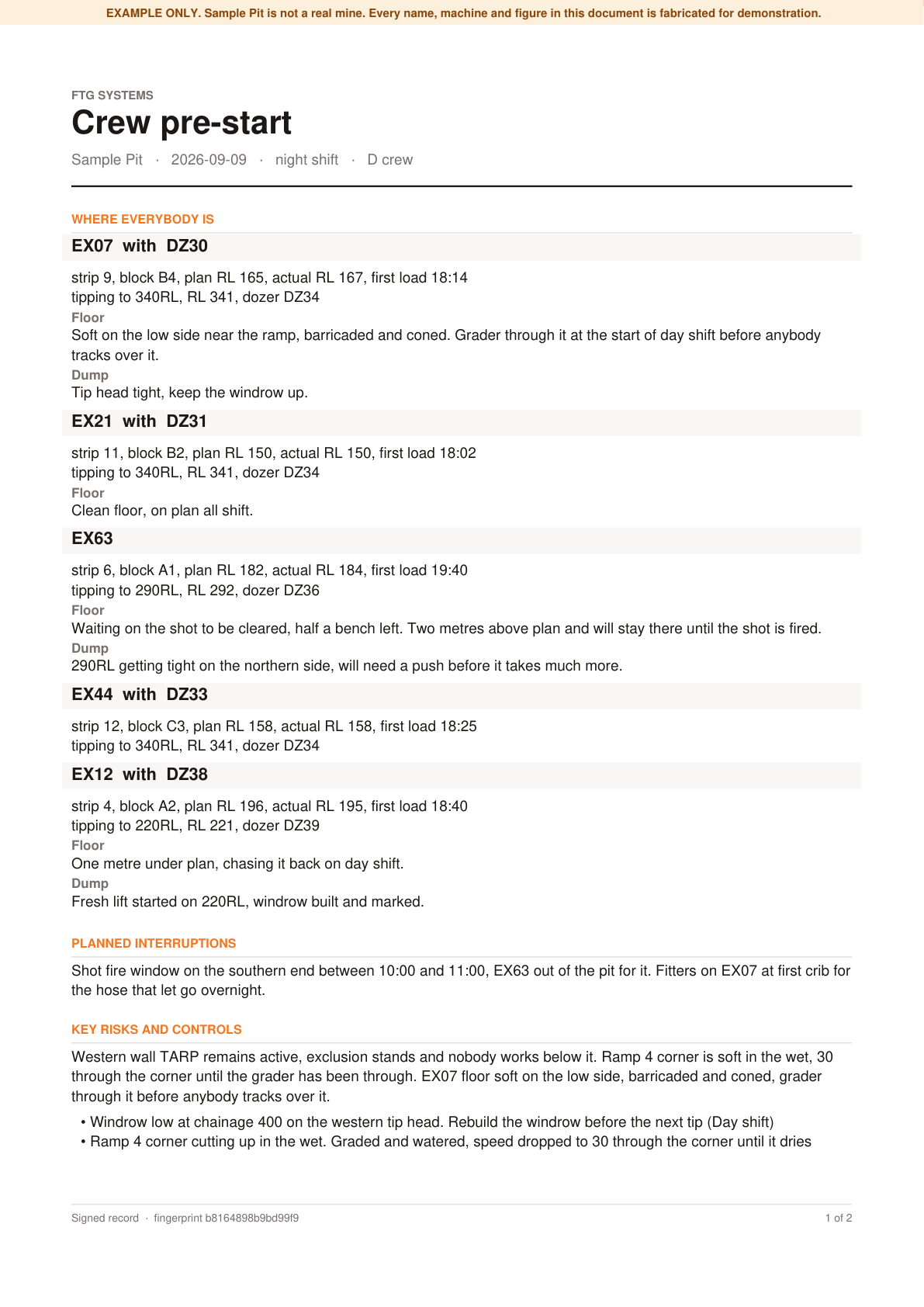
The real files, generated by the same code that emails them: two documents the moment a handover is signed, and the month end report that adds the shifts up. Sample Pit is not a mine, and every name, machine and figure in them is fabricated for demonstration. Each file says so on itself, because a PDF gets forwarded and opened by somebody who never saw this page.
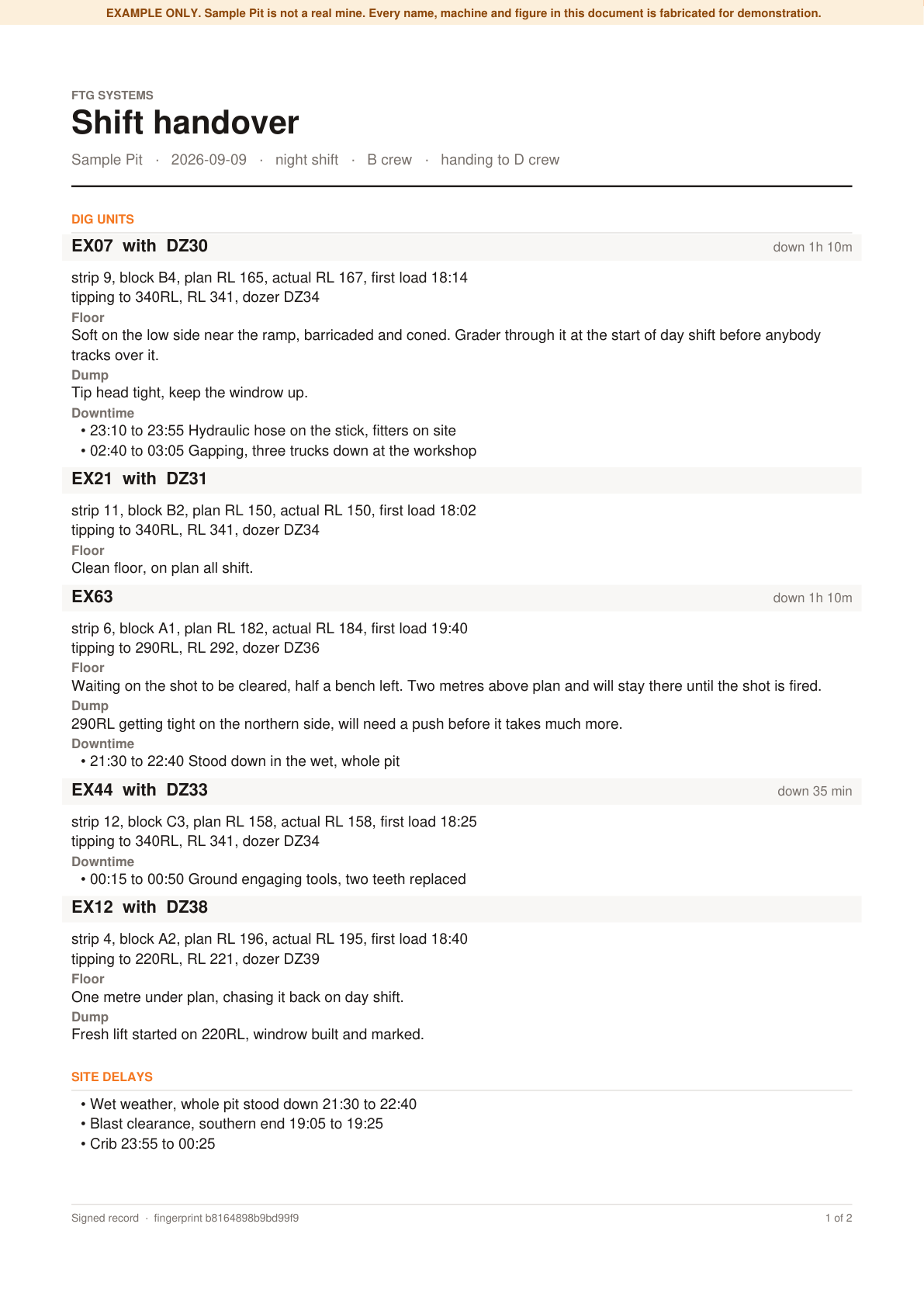
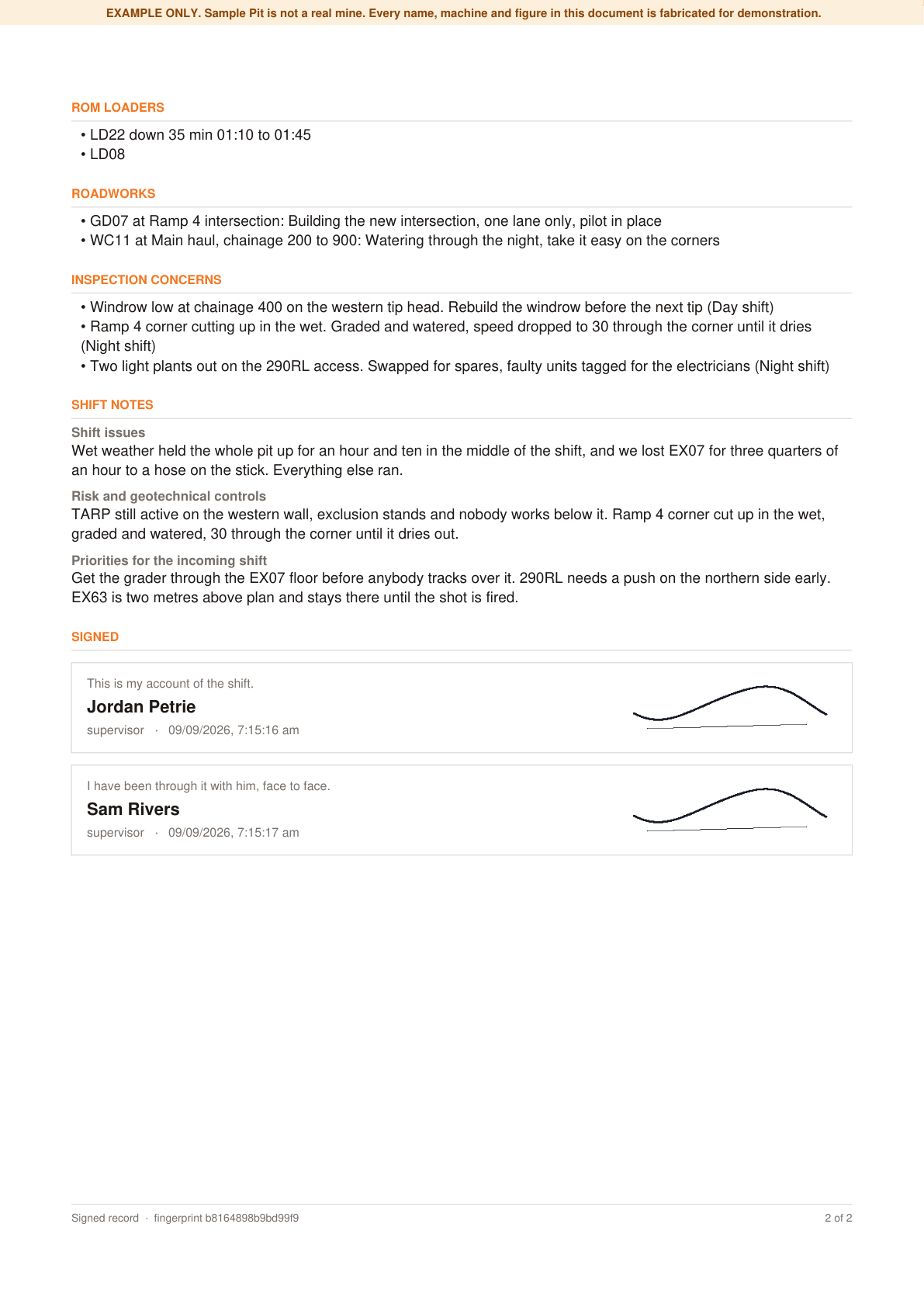
Page one of a signed shift handover: dig units and site delays Page two: roadworks, inspection concerns, shift notes and the signatures
Shift handover Both pages Five dig units with their downtime, site delays, ROM loaders, roadworks, the inspection concerns with who owns each action, the shift notes, and both supervisors' signatures over the record's own fingerprint. Open the PDF
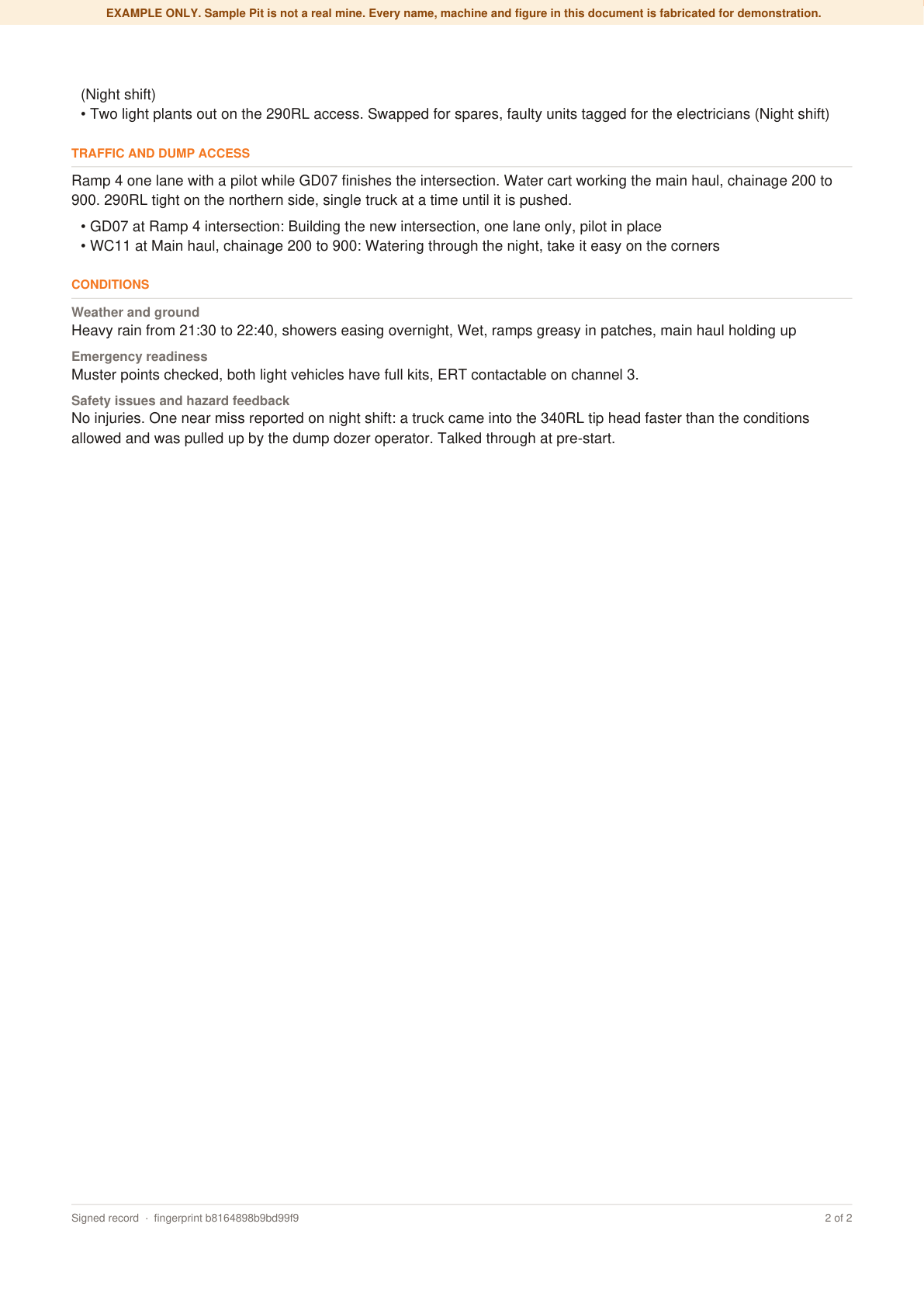
Page one of a crew pre-start: where everybody is Page two: risks and controls, traffic and dump access, conditions
Crew pre-start Both pages Where everybody is, the planned interruptions, the risks and controls carried over from the shift before, traffic and dump access, weather and ground, and what came out of the last 24 hours. Open the PDF
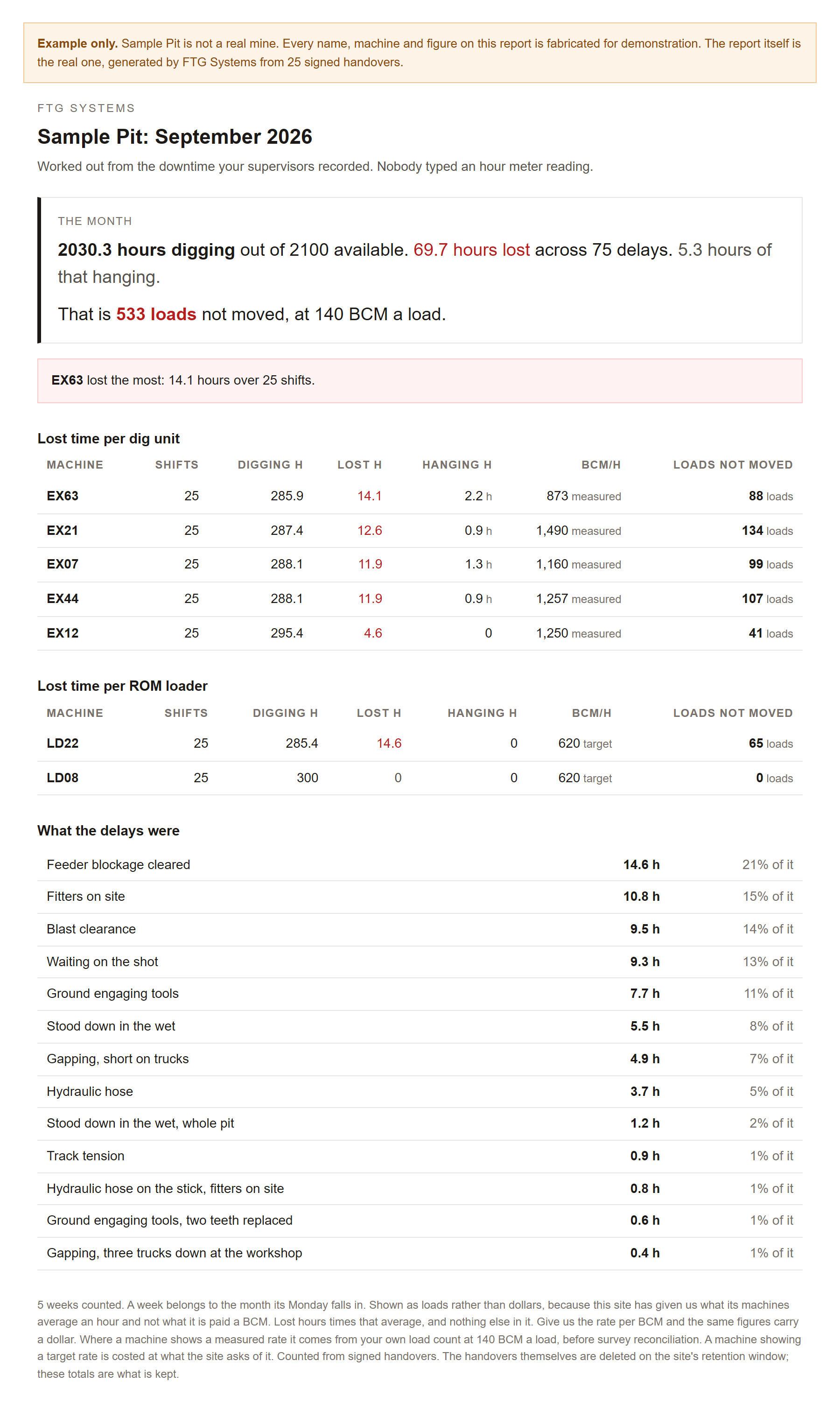
A month end report: hours lost per machine, what the delays were, and what the time is worth
End of month report Sent as a web page, not an attachment Every delay a supervisor recorded over the month, added up per machine: hours lost, hours still turning, and what those lost hours are in truck loads. It names the basis against each machine, measured off the site's own load count or the target the site asked for, on the face of the report rather than in a footnote. This one is 25 signed shifts across five weeks at a mine that does not exist. Open the report

Priced separately, per person who signs in, because it is a different job to the one above. Ask and we will show you through it.

What the unpaid hours cost you

Nobody pays you to raise an invoice. Nobody pays you to chase one, or to work out whose ticket runs out next month. That work still has to happen, so it happens at night, or it costs you an admin wage. The average administration assistant in Queensland is on $78,000, about $7,300 a month once super is on top.

Do the sum on your own charge-out rate. Five hours a week off the tools is the bigger number, and it never appears on an invoice.

Where it sits against the other software

Published Australian prices, as at August 2026:

Against anything charged per seat, this is cheaper from about the fifth person on, and the gap widens with every one after that. Priced per business means the bill does not move when you put another bloke on.

Against ServiceM8 it is not cheaper, and we are not going to pretend otherwise. If you are on your own, you want your jobs and invoices in one place and you are happy doing the admin yourself of an evening, buy ServiceM8. It is good and it is $29. This is for the business that has stopped being able to do that.

Because the honest comparison is not against software at all. All of those are job management: quote it, schedule it, tick it off, press invoice. They store what you did, and then a person still has to do it. This one reads the inbox, drafts the pay run and chases the debtor, and it keeps going past the invoice into the receipts, the GST and what to set aside. Keep Xero if your accountant likes it and it will feed it.

Priced per business
$250 /month
However many of you there are. It does not move when you put another bloke on.

What it comes to depends on the size of the business and how much of it you want switched on. We work that out with you before you commit to anything.

One price for the lot of it. The tax and receipts, the hiring, the logbook and the pay file are not modules with a figure beside each one, they are what the thing does.

Setup is done for you and included: your rates, sites, workers and their tickets loaded, and each piece of automation switched on only once it has been proven against your own numbers.

What it does not do

It does not estimate, and it does not program works or run your ITPs and quality records.

It cannot move money. It prepares the pay file and the invoice, you authorise them at your own bank, and that separation is deliberate.

It is not your accountant. It works out what to set aside and gets your quarter into the right boxes, which is a long way from lodging it for you.

It handles what sits between the work and the money. If you already have estimating and programming you are happy with, keep them.

Have a look at it

Get in touch and we will have a look at how your business runs, what comes in, where the manual work sits, and whether this is worth setting up for you. No obligation and nothing to prepare.

Get in touch